
Instant Search
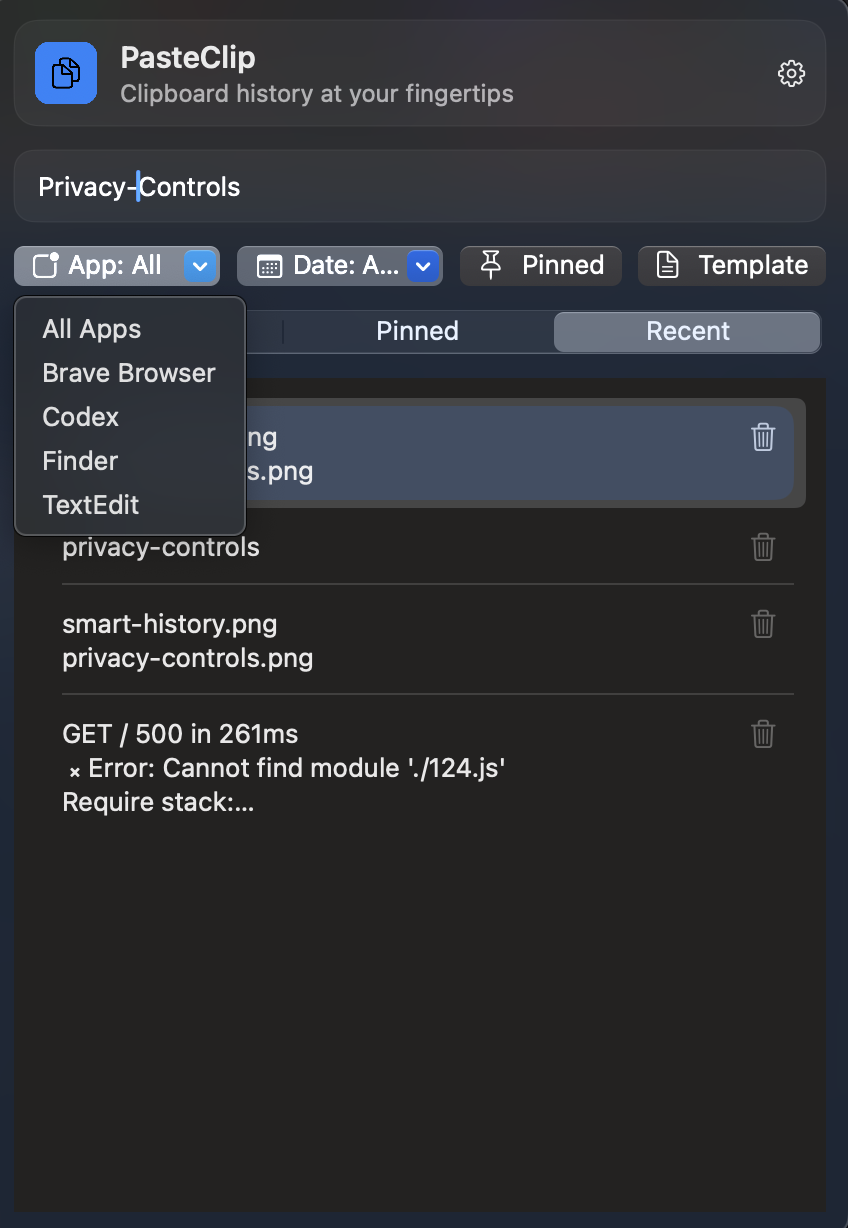
Find copied items in milliseconds with keyboard-first search and filters.
Built for Mac users who want one-keystroke recall, privacy-first controls, and a simpler alternative to subscription-heavy clipboard tools.
$4.99 one-time purchase on the Mac App Store.
Find copied items in milliseconds with keyboard-first search and filters.
Always one shortcut away from your clipboard history and templates.
Clipboard history is stored on your Mac with explicit capture controls.
Limit history by policy and clear entries anytime from the app.
PasteClip is a lightweight local utility for people who want fast clipboard recall without subscriptions, accounts, or unnecessary complexity.
PasteClip keeps your recent text clips organized in Recent, Pinned, and Templates so repeated work stays structured instead of buried.
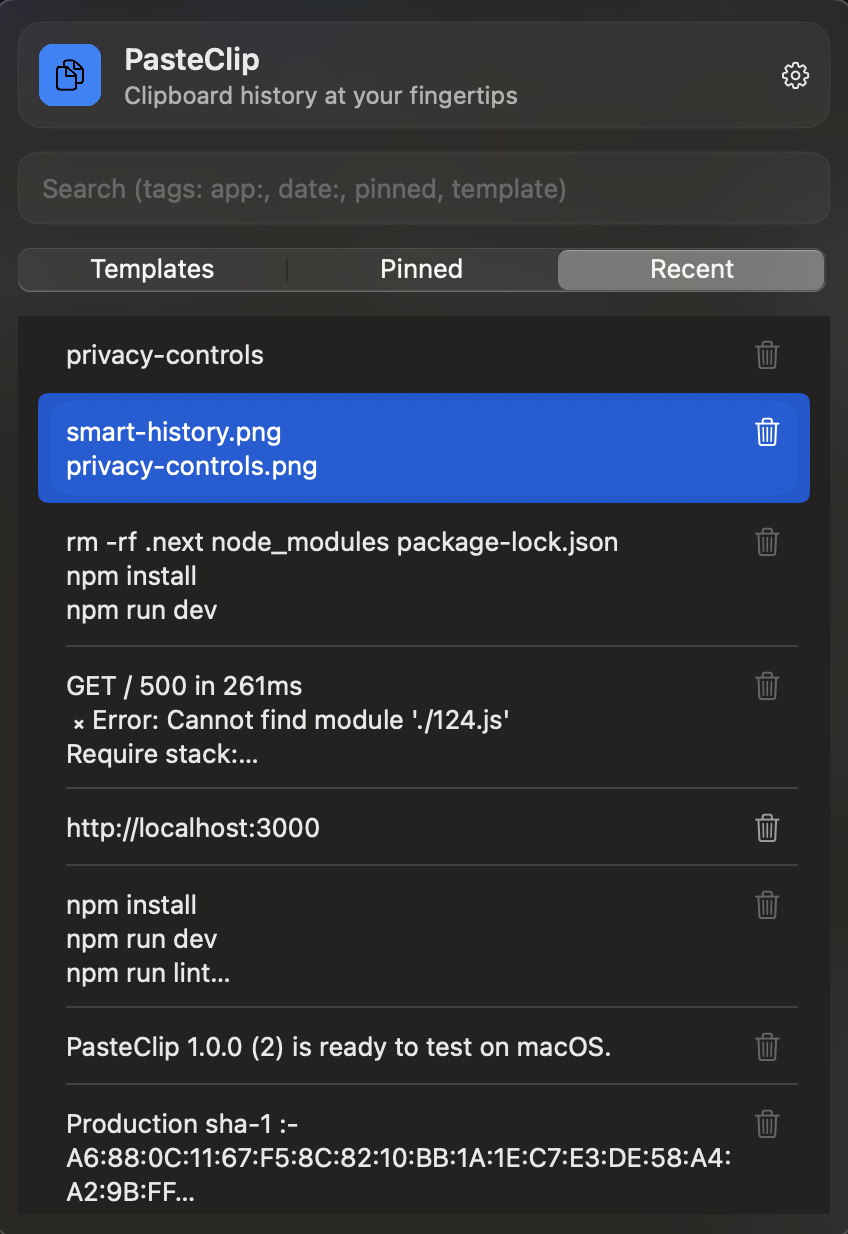
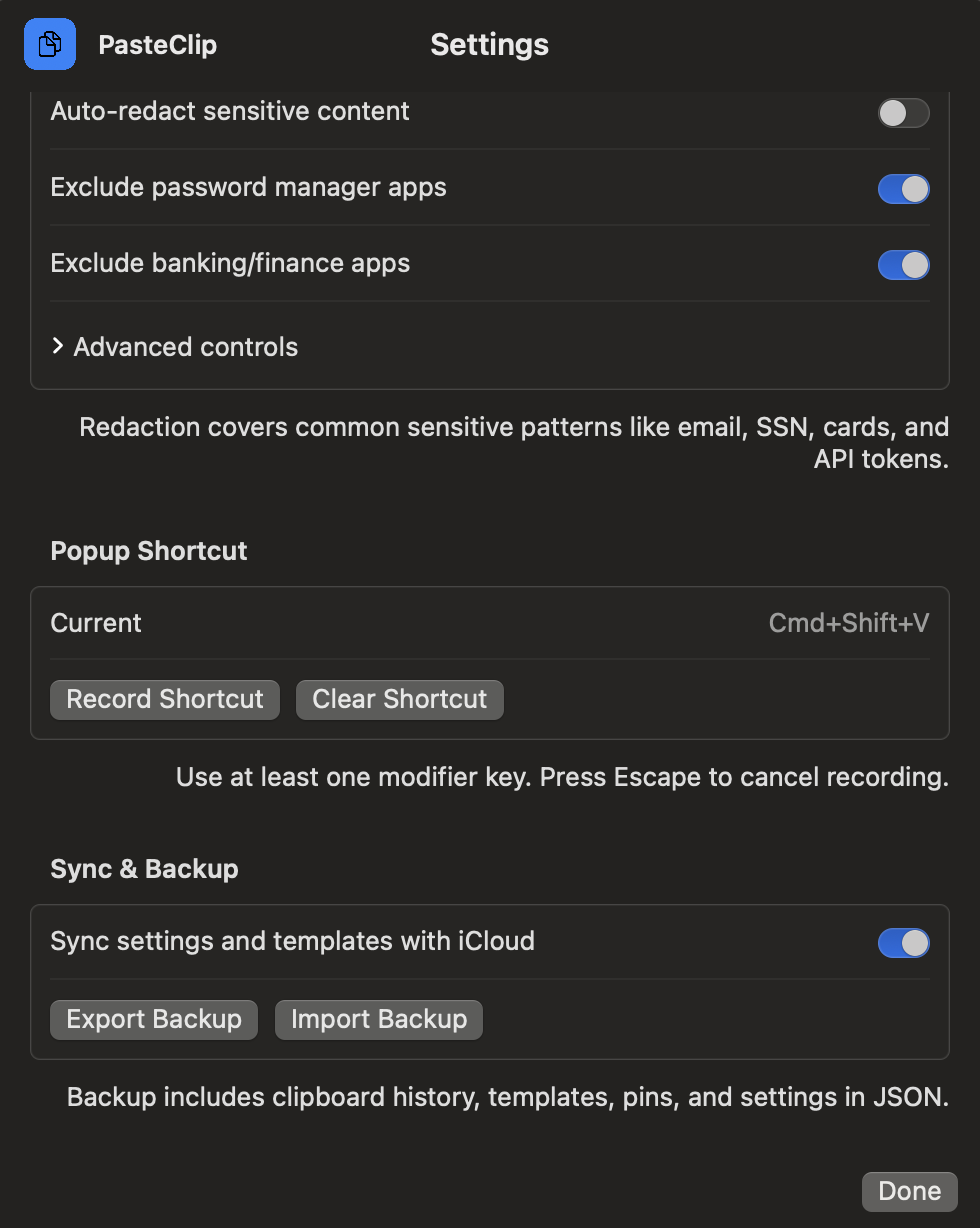
Use keyboard-first workflows to recall content in seconds with search, filters, and a global shortcut (default Cmd+Shift+V).
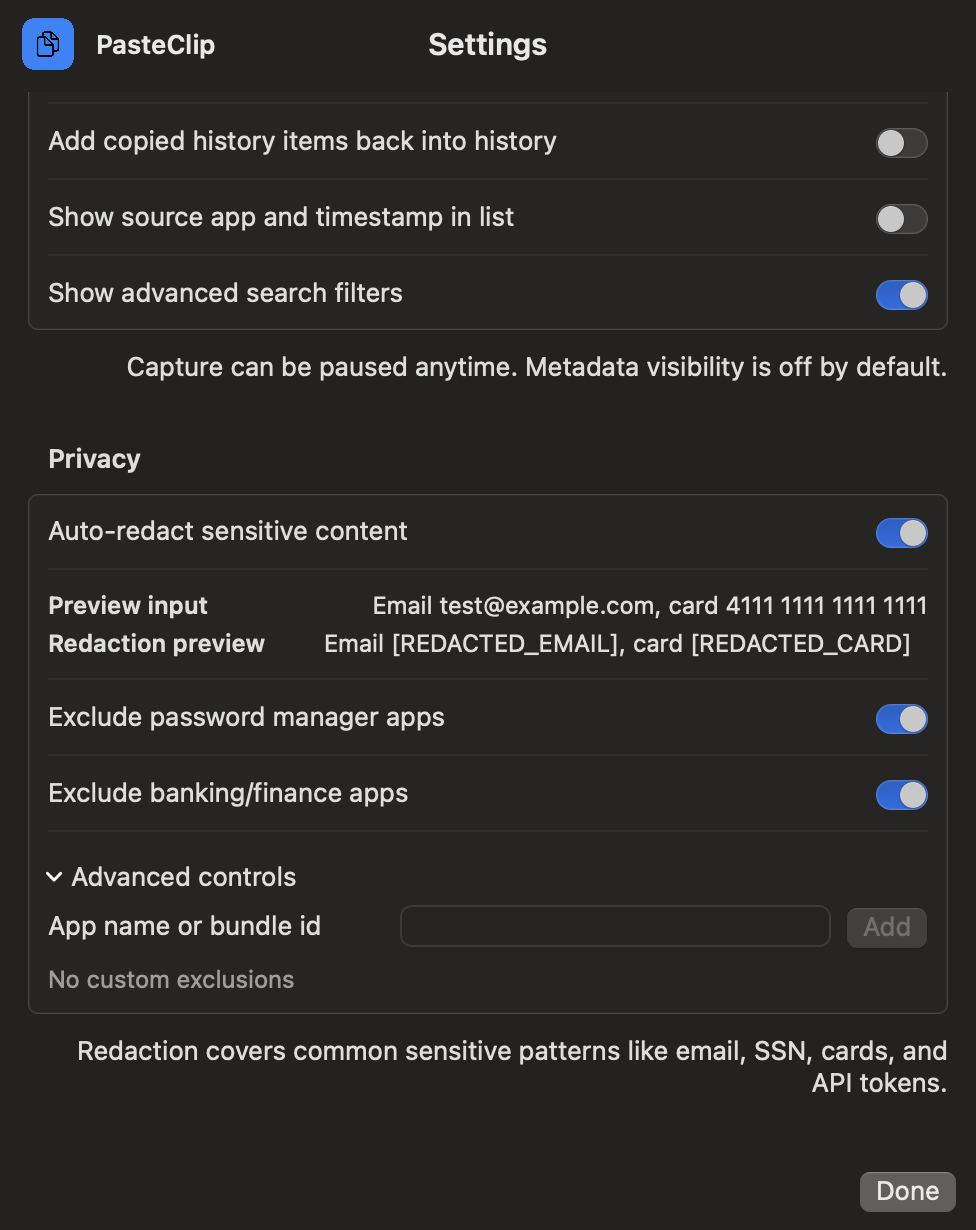
Control what gets saved and for how long. Pause capture, exclude apps, and optionally auto-redact sensitive patterns.
Keep your setup portable with iCloud sync and JSON export/import backup when you migrate devices or restore data.
Step 1
PasteClip runs in the menu bar and tracks copied text while capture is enabled.
Step 2
Open the popup with the keyboard shortcut, then search or filter your history.
Step 3
Select an item to place it back on your clipboard for immediate pasting.
“Built for Mac power users who want speed without extra complexity.”
“Private, fast, minimal. Exactly what a clipboard utility should be.”
“Feels like a local-first alternative to heavier subscription tools.”
Your clipboard history is stored locally on your Mac by default. No ads. No cross-site behavioral tracking. Optional iCloud sync is only used if you enable it.
PasteClip is designed around explicit privacy controls: short retention by default, app exclusions, capture pause, and optional redaction before storage.
The default retention window is one week. You can clear items manually and use pause controls whenever needed.
Yes. You can add apps to an exclusion list so copied text from those apps is never captured.
Yes. Open the popup with a global shortcut, move through items with keyboard navigation, and select an entry without touching the mouse.
Templates store repeat snippets like support replies, links, and command patterns so they stay available independent of recent clipboard activity.
Yes. Search by text and narrow results with filters such as source app, date, pinned status, or template status.
PasteClip supports iCloud sync for continuity and JSON export/import for explicit backup and restore workflows.
PasteClip is built as a utility app. It is not an ad-targeting product.
PasteClip — one-time purchase
$4.99
Available now on the Mac App Store.
Questions before launch or while evaluating PasteClip?